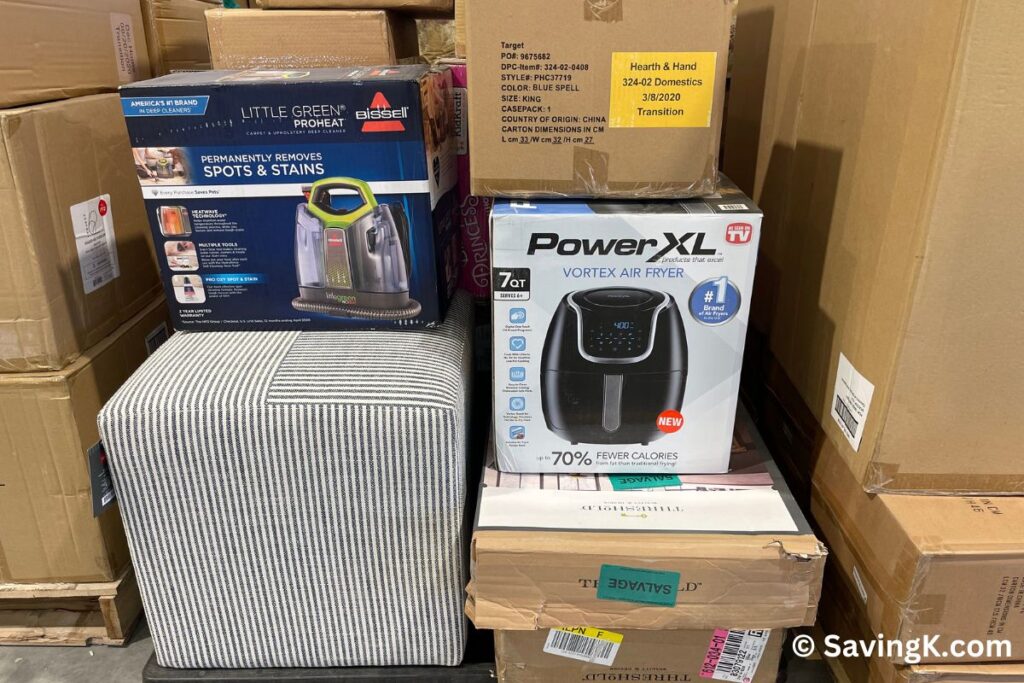


Buying liquidation pallets, return merchandise, and overstock inventory can be a great way to make money. However, finding profitable products is only half the battle. Successful liquidation resellers also need the right tools to research prices, manage inventory, create listings, ship orders, and track profits.
Whether you’re selling on eBay, Amazon, Whatnot, Facebook Marketplace, or from your own liquidation store, the best reselling tools for liquidators can help you work smarter, sell faster, and avoid costly mistakes.
As someone who buys and resells liquidation merchandise, I’ve learned that not every product belongs on the same selling platform. Some items are worth listing individually online, while others are better suited for live auctions, local pickup, or bargain bins.
Here are 20 reselling tools worth considering, including free apps, paid software, barcode scanners, and platforms designed to make liquidation reselling more profitable.
1. Tactical Arbitrage: Find Profitable Products to Resell
Website: Tactical Arbitrage
Tactical Arbitrage is a product-sourcing tool primarily designed for Amazon sellers. It helps users compare retail prices with Amazon marketplace data to identify potential resale opportunities.
Although it’s commonly used for online arbitrage, liquidation resellers can benefit from understanding how products are priced across different retailers.
Best features:
-
Automated product research
-
Price comparisons
-
Bulk product analysis
-
Potential profit calculations
-
Amazon-focused sourcing insights
Best for: Liquidators who also sell on Amazon or want to research products before purchasing inventory.
Keep in mind that Amazon selling restrictions, product condition, and fees can affect whether an item is actually profitable.
2. PriceScanner: Compare Product Prices by UPC
Barcode scanning apps can be extremely helpful when sorting through hundreds of liquidation items.
PriceScanner is one option for looking up products using UPC barcodes and comparing prices across retailers.
Instead of manually typing product names into several websites, you can scan an item’s barcode and research its potential value.
This is especially useful when processing mixed liquidation pallets containing household goods, toys, electronics, and other merchandise.
Best for: Quickly researching unfamiliar liquidation products.
Remember that retail asking prices aren’t necessarily what customers will pay for returned or liquidation merchandise.
3. eBay Product Research: See What Items Actually Sell For
Website: eBay
One of the biggest mistakes new resellers make is pricing merchandise based on what other sellers are asking.
Just because someone lists an item for $100 doesn’t mean anyone is buying it for that amount.
eBay’s sold listings and Product Research tools help sellers evaluate actual selling prices and demand.
For example, you might find a liquidation item that originally retailed for $80 but regularly sells for only $25.
Knowing this before listing can save time and help you choose the best selling platform.
Best for: Determining realistic resale values and researching product demand.
4. Keepa: Track Amazon Price History
Website: Keepa
Keepa tracks Amazon product pricing and historical marketplace information.
It’s particularly useful for determining whether an apparent bargain is really a good deal.
A product currently selling for $75 might have been selling for $30 just a few weeks earlier.
Keepa can help you spot price fluctuations and avoid relying on temporary price spikes.
Features include price history charts, price alerts, and additional product data depending on the subscription.
Best for: Liquidators who sell on Amazon or evaluate Amazon resale opportunities.
5. SellerAmp SAS: Analyze Amazon Resale Profitability
Website: SellerAmp
SellerAmp SAS is a research tool designed to help Amazon resellers analyze potential products.
It provides information that can help sellers evaluate fees, profitability, competition, and selling restrictions.
For liquidation sellers, this is particularly helpful when deciding whether an unopened product is worth selling through Amazon FBA or FBM.
Best for: Amazon resellers who want to research individual products before listing them.
Always verify whether your account is eligible to sell a particular brand or category.
6. Google Lens: Identify Products Without Barcodes
Website: Google Lens
Not every liquidation item arrives with its original packaging or a readable barcode.
Google Lens allows you to search using a photograph instead of a product name.
This is especially helpful for identifying:
-
Unbranded household items
-
Furniture and home decor
-
Clothing and accessories
-
Toys without packaging
-
Replacement parts
-
Seasonal merchandise
Simply take a picture and review visually similar products.
Best for: Identifying mystery merchandise and researching items missing their original labels.
7. Vendoo: Crosslist Inventory Across Marketplaces
Website: Vendoo
Vendoo is a crosslisting platform that helps resellers manage listings across supported online marketplaces.
Instead of creating separate listings from scratch for every selling platform, you can streamline much of the process.
This is particularly useful for liquidation resellers who sell clothing, shoes, accessories, and other individual items.
Features may include crosslisting, inventory management, and sales tracking, depending on the plan and marketplace.
Best for: Resellers managing inventory on multiple marketplaces.
8. List Perfectly: Manage Listings Across Selling Platforms
Website: List Perfectly
List Perfectly is another popular crosslisting tool.
It helps sellers organize product information and reuse listings across supported marketplaces.
If you regularly purchase clothing liquidation pallets, crosslisting software can help reduce repetitive work.
For example, a pair of name-brand jeans might be listed on eBay, Poshmark, and Mercari rather than relying on just one platform.
Best for: High-volume clothing and general merchandise resellers.
Compare supported marketplaces and pricing before choosing between crosslisting services.
9. Whatnot: Sell Liquidation Merchandise Through Live Auctions
Website: Whatnot
Whatnot has become one of my favorite ways to move liquidation inventory.
Instead of photographing, describing, and individually listing every inexpensive product, sellers can auction merchandise during live shows.
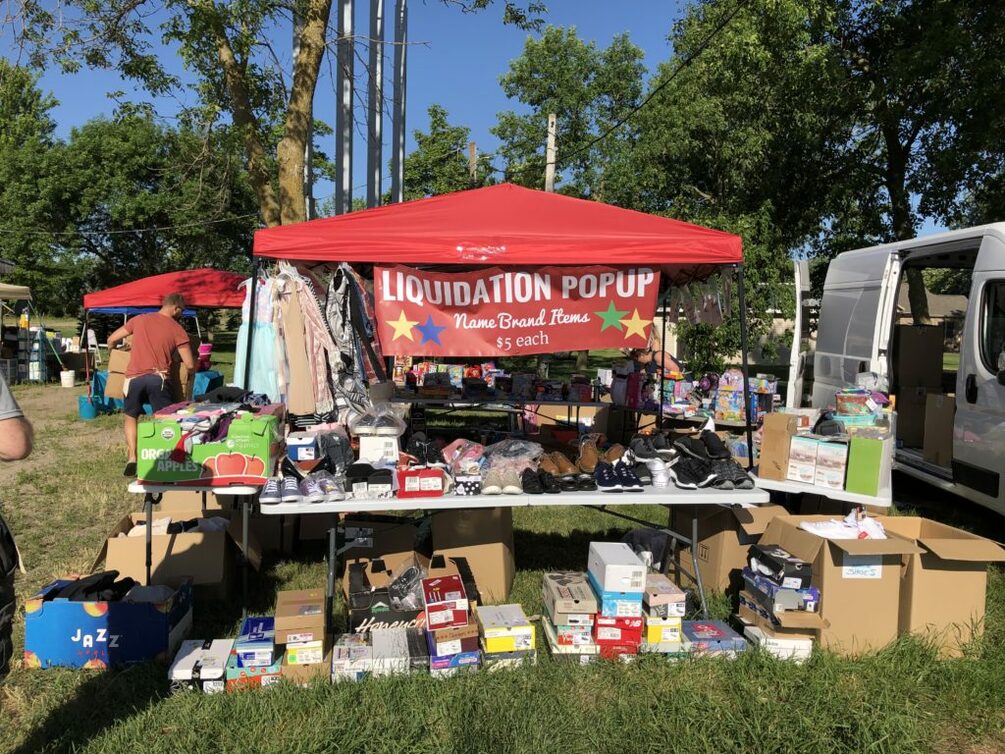
At SavingK, we sell liquidation bundles and merchandise through our Whatnot shows, sometimes starting auctions at just $1.
Whatnot can be especially useful for moving merchandise that might not justify the time and expense of creating individual marketplace listings.
Popular liquidation categories include clothing, toys, beauty products, household merchandise, shoes, and collectibles.
Benefits for liquidators:
-
Sell multiple products during one live show
-
Build an audience of repeat buyers
-
Offer bundled merchandise
-
Run giveaways to engage viewers
-
Move slower-selling inventory
-
Offer local pickup when supported
Best for: Liquidators who enjoy live selling and want to move inventory quickly.
New to Whatnot? You can sign up through our referral link and check whether you’re eligible for a new-buyer promotional credit. Be sure to follow @SavingK to catch our liquidation auctions.
10. Facebook Marketplace: Sell Bulky Items Locally
Website: Facebook Marketplace
Not every liquidation product is worth shipping.
Large household items, furniture, storage organizers, and bulky merchandise often make more sense to sell locally.
Facebook Marketplace allows you to connect with buyers in your area without building a dedicated e-commerce website.
It’s particularly useful when shipping costs would eat up most of your profit.
Best for: Large liquidation items, furniture, and local inventory clearance.
11. Canva: Create Better Product Photos and Promotional Graphics
Website: Canva
Canva is one of the most versatile tools for liquidation resellers.
You can use it to create promotional graphics for sales, social media posts, product collages, and branded marketing materials.
For example, liquidation store owners can create graphics announcing upcoming warehouse sales, new inventory arrivals, or special promotions.
Canva also offers image-editing features, although some require a paid subscription.
Best for: Marketing liquidation sales and creating professional-looking graphics without hiring a designer.
12. PhotoRoom: Remove Product Photo Backgrounds
Website: PhotoRoom
Good product photos can make a big difference when selling online.
PhotoRoom helps remove distracting backgrounds and create cleaner product images.
This is useful when photographing merchandise in a warehouse, garage, or other busy environment.
A simple background can make a product easier for buyers to evaluate.
Best for: Resellers who photograph large quantities of merchandise.
Use photos that accurately represent the actual item and its condition.
13. InventoryLab: Track Amazon Inventory and Profitability
Website: InventoryLab
InventoryLab offers tools for Amazon sellers to manage inventory and analyze financial performance.
Liquidators selling eligible products on Amazon can use inventory software to better understand costs and profitability.
Depending on the tools and subscription, features may include inventory workflows, expense tracking, and reporting.
Best for: Liquidators running an established Amazon resale business.
14. Pirate Ship: Compare Shipping Rates
Website: Pirate Ship
Shipping expenses can quickly destroy profit margins, especially on low-cost liquidation merchandise.
Pirate Ship allows sellers to purchase shipping labels and compare available USPS and UPS services.
It’s especially useful when shipping products outside a marketplace’s built-in label system.
For example, if you sell liquidation merchandise through your own website or invoice a customer directly, Pirate Ship can simplify shipping.
Best for: Resellers who ship merchandise independently.
Compare the total shipping cost, including packaging and insurance when needed.
15. Rollo: Print Shipping Labels Faster
Website: Rollo
A thermal label printer is one of those tools that can make a big difference once your order volume increases.
Rollo makes thermal shipping label printers that eliminate the need to print labels on regular paper, cut them out, and tape them to boxes.
Thermal printers also don’t require traditional ink cartridges.
Best for: Liquidators shipping multiple orders each week.
Other thermal printer brands may work just as well, so compare printer compatibility and label costs before purchasing.
16. Sortly: Organize Liquidation Inventory
Website: Sortly
Keeping track of inventory can be challenging when merchandise comes from different pallets, retailers, and categories.
Sortly is an inventory management platform that allows businesses to organize products, locations, and quantities.
For example, a liquidator could organize inventory by warehouse shelf, pallet number, or product category.
This makes it easier to locate merchandise after it sells.
Best for: Liquidators managing warehouse inventory or multiple storage locations.
17. Google Sheets: Track Costs and Profits for Free
Website: Google Sheets
You don’t necessarily need expensive software to manage a liquidation business.
Google Sheets can be used to track pallet purchases, inventory, expenses, sales, and profit margins.
A simple spreadsheet might include:
| Item | Amount |
|---|---|
| Liquidation pallet cost | $400 |
| Freight | $100 |
| Total inventory cost | $500 |
| Total sales | $1,000 |
| Selling fees and shipping | $175 |
| Gross profit before other expenses | $325 |
The key is tracking your true costs, not just the amount you paid for the merchandise.
Other expenses may include supplies, labor, storage, advertising, and returns.
Best for: Beginners and budget-conscious liquidation resellers.
18. QuickBooks: Manage Reselling Business Finances
Website: QuickBooks
As your liquidation business grows, bookkeeping becomes increasingly important.
QuickBooks can help you organize business income and expenses, generate financial reports, and prepare records for tax time.
Liquidation sellers often have expenses that are easy to overlook, including freight, warehouse rent, marketplace fees, packing materials, and damaged merchandise.
Best for: Established liquidation businesses that need more advanced financial tracking.
19. ChatGPT: Research, Write Listings, and Plan Sales
Website: ChatGPT
Artificial intelligence can be a surprisingly useful tool for liquidation resellers.
I use ChatGPT for a variety of business-related tasks, from writing promotional content to brainstorming ways to market merchandise.
Here are a few ways liquidators can use AI:
-
Write product titles and descriptions
-
Create Facebook posts announcing liquidation sales
-
Brainstorm themed merchandise bundles
-
Calculate potential profit margins
-
Generate email marketing content
-
Organize inventory categories
-
Create checklists for processing pallets
-
Compare different selling strategies
For example, you could enter:
I purchased a liquidation pallet for $500, including freight. It contains 150 items. If I sell 100 items for $8 each, 30 items for $5 each, and donate the remaining 20, what is my gross profit before fees and other expenses?
ChatGPT can calculate the potential return and help you explore different pricing scenarios.
Best for: Resellers who want help with everyday business tasks without hiring additional staff.
AI-generated product information should always be checked for accuracy.
20. Barcode Scanners: Process Large Quantities of Inventory
One of the most practical tools for liquidation resellers isn’t an app at all.
A handheld barcode scanner can make it easier to enter product information into spreadsheets, inventory systems, and compatible point-of-sale software.
Many scanners connect through USB or Bluetooth and function similarly to a keyboard.
Instead of manually typing UPC numbers, you can scan products as you sort merchandise.
This can be especially useful when processing hundreds of items from a liquidation pallet.
Best for: High-volume liquidators, warehouse sellers, and retail liquidation stores.
Before purchasing, make sure the scanner works with your preferred software and the barcode types you encounter.
Which Reselling Tools Are Worth Paying For?
Not every liquidator needs all 20 tools.
In fact, buying too many software subscriptions before your business becomes profitable can work against you.
Here’s how I’d prioritize them based on your reselling business.
| Type of reseller | Tools to start with |
|---|---|
| Beginner liquidator | Google Lens, eBay Product Research, Google Sheets |
| Amazon reseller | Keepa, SellerAmp, Tactical Arbitrage |
| Clothing reseller | Vendoo or List Perfectly, PhotoRoom |
| Whatnot seller | Whatnot, Canva, thermal label printer |
| Warehouse liquidator | Barcode scanner, Sortly, Google Sheets |
| Local liquidation store | Facebook Marketplace, Canva, inventory software |
| High-volume online reseller | Crosslisting software, shipping tools, bookkeeping software |
The best combination depends on what you sell, where you sell it, and how much merchandise you process.
How to Choose the Best Selling Platform for Liquidation Merchandise
One strategy that has worked well for me is recognizing that different merchandise needs different selling methods.
For example, an expensive name-brand item might justify an individual online listing, while an inexpensive household item may be more profitable when sold in a bundle or at a local liquidation sale.
High-value, shippable merchandise
Research sold prices and consider eBay or another appropriate marketplace where buyers search for specific products.
Low-cost miscellaneous merchandise
Consider Whatnot bundles, local liquidation events, or bargain bins to move inventory efficiently.
Bulky or difficult-to-ship items
Consider Facebook Marketplace, local pickup, or an in-person liquidation store.
The goal isn’t necessarily to sell every item for the highest possible price. It’s to maximize your overall profit while considering time, storage, fees, and inventory turnover.
5 Tips for Getting More Value From Your Reselling Tools
-
Research sold prices instead of retail prices. An item’s original MSRP doesn’t guarantee resale demand.
-
Track every expense. Include freight, shipping, marketplace fees, supplies, returns, and unsellable inventory.
-
Use different platforms for different products. Avoid forcing every item into the same selling strategy.
-
Automate repetitive tasks. Barcode scanning, crosslisting, and shipping label printers can save valuable time.
-
Review subscriptions regularly. If a tool isn’t saving enough time or generating enough additional profit to justify its cost, consider canceling it.
Final Thoughts: Work Smarter, Not Harder, as a Liquidation Reseller
Liquidation reselling can involve a surprising amount of work behind the scenes. Between sourcing inventory, sorting merchandise, researching products, creating listings, managing sales, and shipping orders, there are plenty of opportunities to save time.
The right reselling tools can help turn a chaotic pile of liquidation merchandise into a more organized and profitable business.
My advice is to start with free tools such as Google Lens, eBay Product Research, Google Sheets, and ChatGPT. As your sales increase, consider investing in crosslisting software, inventory management tools, and shipping equipment.
Most importantly, remember that the most profitable resale strategy isn’t always the one with the highest selling price. It’s the one that gives you the best return on your money, time, and effort.
Whether you’re flipping your first liquidation pallet or managing a warehouse full of merchandise, having the right tools can make all the difference.